Roll call in under a minute: attendance that doesn't eat class time

Do the arithmetic once and it is hard to unsee. Thirty-five students, three seconds each to find the name and tap a state, and you have spent nearly two minutes of a forty-minute period on administration.
Five periods a day, five days a week, thirty-eight weeks. That is somewhere near thirty hours a year, or roughly a fortnight of lessons, spent recording that people who are in the room are in the room.
And two minutes is the optimistic number. It assumes nobody arrives late, the list is in the order you expect, and you do not lose your place halfway down.
The arithmetic, drawn
The same register, the same information, on an ordinary day with three absences and one latecomer.
The design mistake
Most registers, on paper and on screen, ask you to assign a state to every student. Thirty-five decisions, thirty-five actions.
But that is not the shape of the information. On a normal day the fact is “everyone is here except Diego and Camila”. Two facts, not thirty-five. A register that requires thirty-five inputs to record two facts is not asking you to record attendance. It is asking you to prove you looked.
Present is not a decision. It is the default, interrupted occasionally.
Invert it
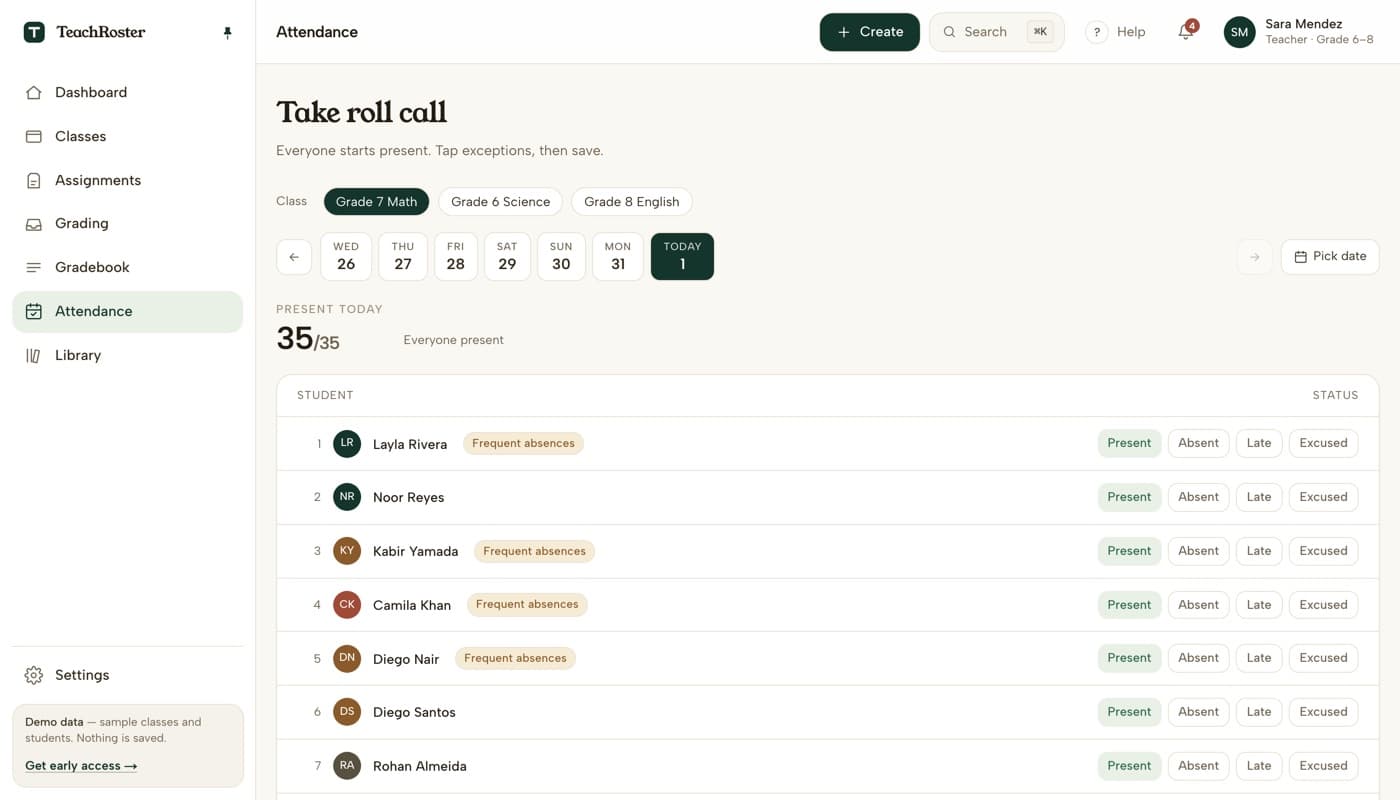
Open the class with everyone already marked present, tap only the exceptions, and save. A full attendance is one action. A day with three absences is four.
The count at the top is what makes this trustworthy rather than lazy. It updates as you go, so you glance at the room, glance at the number, and the check that actually matters — does 32 match what I can see — takes about two seconds. That is a better verification than tapping thirty-five times while thinking about something else.
Four states, and not one more
Present, absent, late, excused. That is the whole vocabulary, and the restraint is deliberate.
| State | What it means | Where it gets fuzzy |
|---|---|---|
| Present | In the room when you looked. | The default. Never needs a tap. |
| Late | Arrived after you took the register. | Decide once whether five minutes counts, and apply it the same way all term. |
| Excused | Absent, and somebody told you why. | This is the state that protects a student in a later conversation. Use it. |
| Absent | Not here, no reason given yet. | Can be changed to excused when the note arrives — which is why editing yesterday matters. |
every extra state you add is one more thing to be inconsistent about in week nine
The second job of a register
Speed is the obvious problem, and it is the smaller one.
The real work a register does happens in November, when a parent asks why their child is behind, or a head of year asks whether there is a pattern. At that moment you need one student’s attendance across eleven weeks, and you need it before the meeting starts, not after.
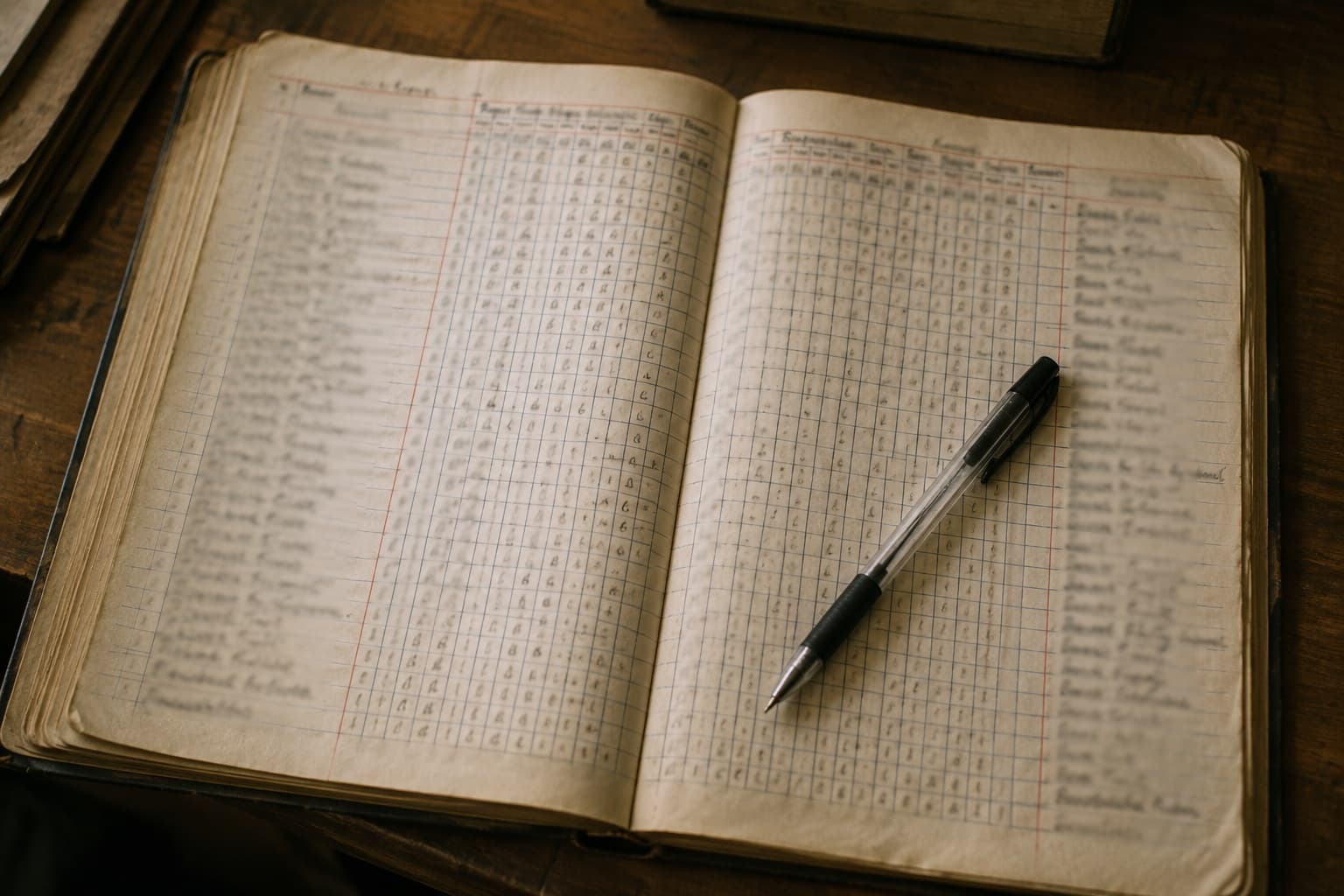
If the register lives in a stack of paper, or in a spreadsheet organised by date rather than by student, that question costs you an evening. You are flipping through eleven weeks of rows looking for one name.
This is the argument for a digital register that has nothing to do with being modern. It is not that tapping is faster than writing. It is that the data is queryable by student afterwards, and paper is not.
The patterns you cannot see day by day
Grouped by student rather than by date, a term of attendance starts telling you things that are invisible one morning at a time.
- The same weekday. A student absent most Fridays is not a student with bad luck. Something structural is happening — a job, a sibling, a bus, a subject they are avoiding.
- Lateness that is drifting. Five minutes in September, fifteen by October. Each individual instance is forgettable; the slope is not.
- Absence that starts abruptly. A student with a clean record who misses four days in a fortnight is telling you something, and it is usually not about school.
None of this makes you a social worker. It makes you the person who can say something specific in the meeting where it matters, instead of “I think she has missed a few”.
When someone other than you needs the register
A register you keep for yourself is a personal habit. A register the school relies on is something else, and the difference shows up on the days you are not there.
Three situations expose whether a register is doing its job. A colleague covers your class and needs to take it without a briefing. A head of year asks for a term of data on four students by Friday. Your own records are questioned, and the useful answer is not “I remember marking her present” but a dated record that has not been edited since.
None of that requires a complicated system. It requires the register to be stored per class and per student rather than as a pile of daily snapshots, to be readable by someone who has never seen it before, and to be honest about when an entry was added — the day it happened or three weeks later. Both are legitimate; conflating them is not.
This is also the argument against keeping attendance in a personal spreadsheet, which is where most teachers who dislike their school system end up. It works beautifully until the week you have flu.
What to check in any attendance tool
- What is the default state? If it is blank or absent, the tool will cost you a minute a period forever.
- Can you take it from a phone at the door? Roll call happens while you are greeting people, not while you are seated at a laptop.
- Can you fix yesterday? You will forget one. A tool that only allows today turns a thirty-second correction into a request to an administrator.
- Can you get one student’s history in a few seconds? This is the whole point, and it is the feature most registers treat as an afterthought.
- Who else can see it? Attendance is sensitive. Know the answer before a parent asks you.
The honest caveat
Paper still wins in one situation, and it is worth naming: when the network is down and the device is dead, a printed list and a pen work.
Any digital register you adopt should be something you can abandon for a day without losing the term, which in practice means being able to enter a missed day afterwards rather than pretending it never happened.
Everything else about it should be one tap.
The measure of a good register is not how much it records. It is how little of your attention it asks for on an ordinary Tuesday, and how much it can tell you in November when the question finally matters.
Questions teachers ask
How long should taking attendance actually take?
On a register that defaults everyone to present, it takes as long as there are exceptions. A full class is a single save. A class with three absences and one latecomer is four taps and a save — call it fifteen seconds. If your current system takes over a minute for a class of 35, the problem is the default state, not your speed.
Can I take attendance on my phone?
You should be able to. Roll call happens while you are greeting students at the door, not while seated at a laptop, so any register that assumes a desktop will quietly go untaken on busy days. A browser-based register with no app to install works on a phone, a school laptop, or a shared tablet.
What do I do if I take the register wrong, or forget it entirely?
Fix it the next day. Any register worth using lets you open a past date and edit it — the last week should be one tap away, with a date picker for older days. A tool that only allows today turns a thirty-second correction into an email to an administrator, which means it will not get corrected.
How many attendance states should a register have?
Four: present, absent, late and excused. That covers every situation you need to defend later while staying simple enough to apply consistently in week nine. Every extra category is one more thing you and your colleagues will use differently by half term, which makes the data less useful, not more.
Is TeachRoster's attendance free?
Yes, free for teachers, and the demo needs no signup — you can take roll call on a sample class of 35 students right now to see whether the present-by-default approach suits how you work.