Less paperwork.
More teaching.
Roll call in one tap. Quizzes drafted from the notes and PDFs you already have. Grading and reteach plans, done before the bell.
Designed for the real classroom loop.
Three things teachers do every week — each one fast, calm, and built for real classrooms: Chromebook carts, phones, and patchy Wi‑Fi alike.
One-click attendance
Default everyone present, mark only the exceptions, done in under a minute. History is searchable per student.
Quiz homework in 2 minutes
Generate a draft from a topic or an uploaded file, edit any question, then assign with a due date.
See what to teach next
Class results turn into a short list of weak skills — with one button to generate a focused reteach warm-up.
Create anything your class needs.
Quizzes, homework, reading notes, attendance, gradebook, reteach warm-ups — one calm hub instead of five disconnected tools. Pick a type, and you’re a few clicks from assigning it.
Start creatingAlready have it on paper? Use it.
Upload your notes, a chapter as a PDF, a Word file, or a photo of the page. TeachRoster drafts the quiz from your material — you edit any question and assign it with a due date. The same file makes flashcards, slides and notes too.
See it for real.
Actual screens from the app you can open right now — demo class included, nothing staged.
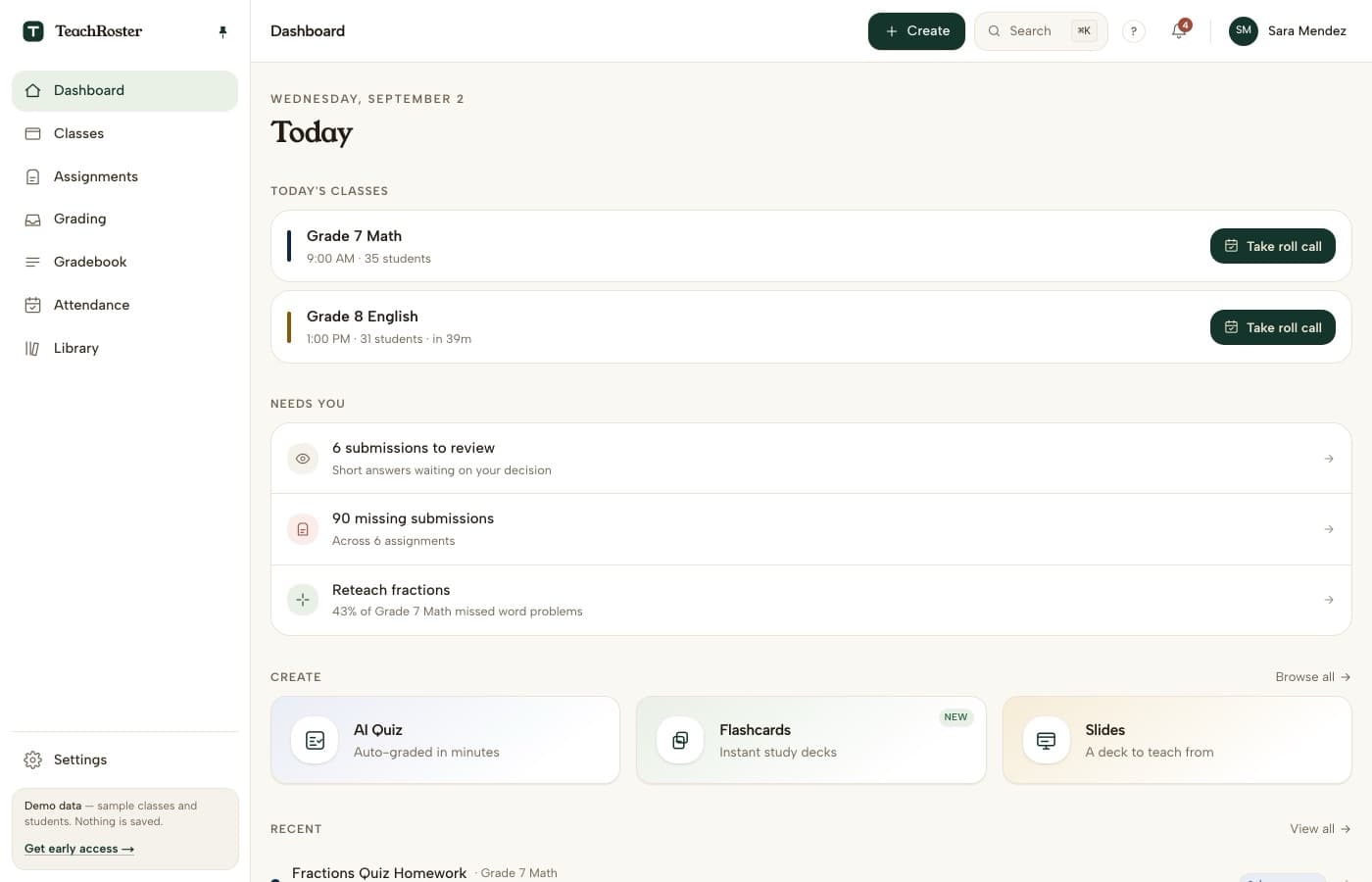
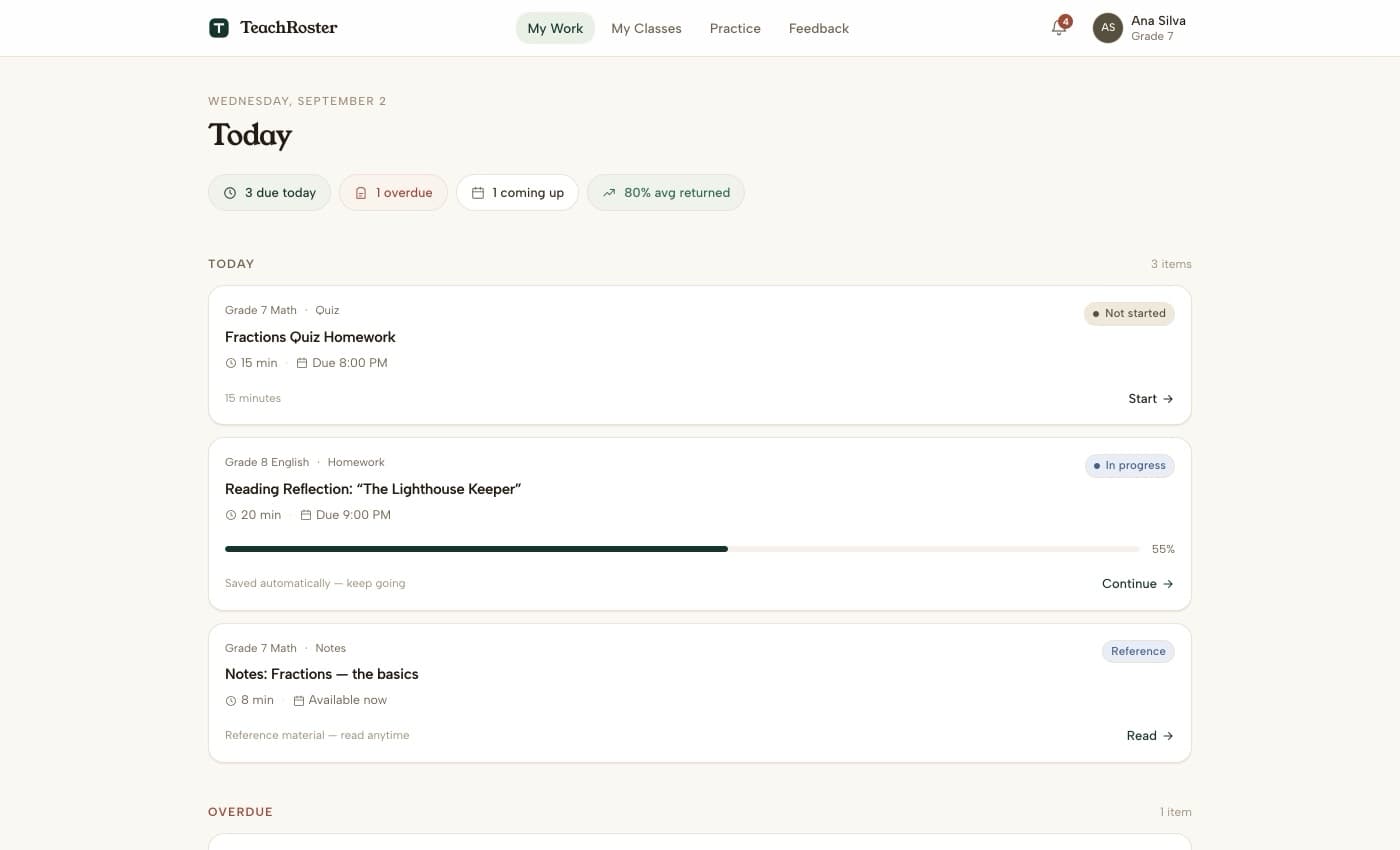
A simple loop teachers actually run every week.
Create class & roster
Add students manually or paste a CSV in under a minute.
Assign quiz homework
Generate from a topic or upload, edit every question, and send.
Students complete at home
Browser-first, autosaves continuously, no app to install.
Grade & plan next class
Auto-grading turns into a short list of what to reteach.
You stay in charge. Always.
You review every AI draft
Nothing is assigned, graded, or shown to students without your approval. AI drafts; you decide.
Student data stays private
No ads, never sold. Students join with a class code you share — no email account needed.
Built for real conditions
Light pages that work on any device — a school Chromebook, a phone, a slow connection. Homework autosaves continuously.
Chalk dust, minus the stress.
Six situations TeachRoster is designed around — in classrooms in the United States, Spain and across Europe, and next in South Asia.
Roll call alone can eat the first five minutes, and then a parent emails about last month.
Good material you already made, living in a photocopy from last year.
Twenty-eight devices, one access point, homework half-done when the connection drops.
A class in Madrid where half the explanations happen in English and half in Spanish.
Thirty submissions and a lesson still to plan for tomorrow.
Siblings sharing a device, no room for another app to install.
Fair questions.
Is TeachRoster free?
Yes — free for teachers. You can open the demo class today with no signup and nothing to install.
Do my students need email accounts?
No. Students join with a class code you share, and everything runs in the browser — no app to install.
Will it work on Chromebooks, phones, or slow internet?
That’s what it’s built for. Pages are light, homework autosaves continuously, and students pick up exactly where they left off.
Can the AI just give students the answers?
There is nothing for them to ask. TeachRoster has no student-facing AI today — students see the questions you approved and nothing else. Per-assignment help rules are on the roadmap, not shipped.
Who sees my students’ data?
You do. Student work is never sold or used for ads, and every AI draft is reviewed by you before students see it.
Run a calmer classroom this week.
Open the teacher app with demo data — no signup, nothing to install. See the whole loop in five minutes.
Ready for a real classroom instead of the demo?