How to turn last year's worksheet into an online quiz in 2 minutes
The worksheet is already good. You wrote it two years ago, you have watched three cohorts do it, and you know exactly which question separates the students who understand from the students who have memorised a procedure. That is the expensive part, and it is done.
What stops it going online is not pedagogy. It is twenty minutes of retyping, plus the fiddly business of turning question 4 into something with clickable options.
Here is the version of that job that takes two minutes, and the four things worth checking before you assign it to anyone.
Start from the file, not from a blank page
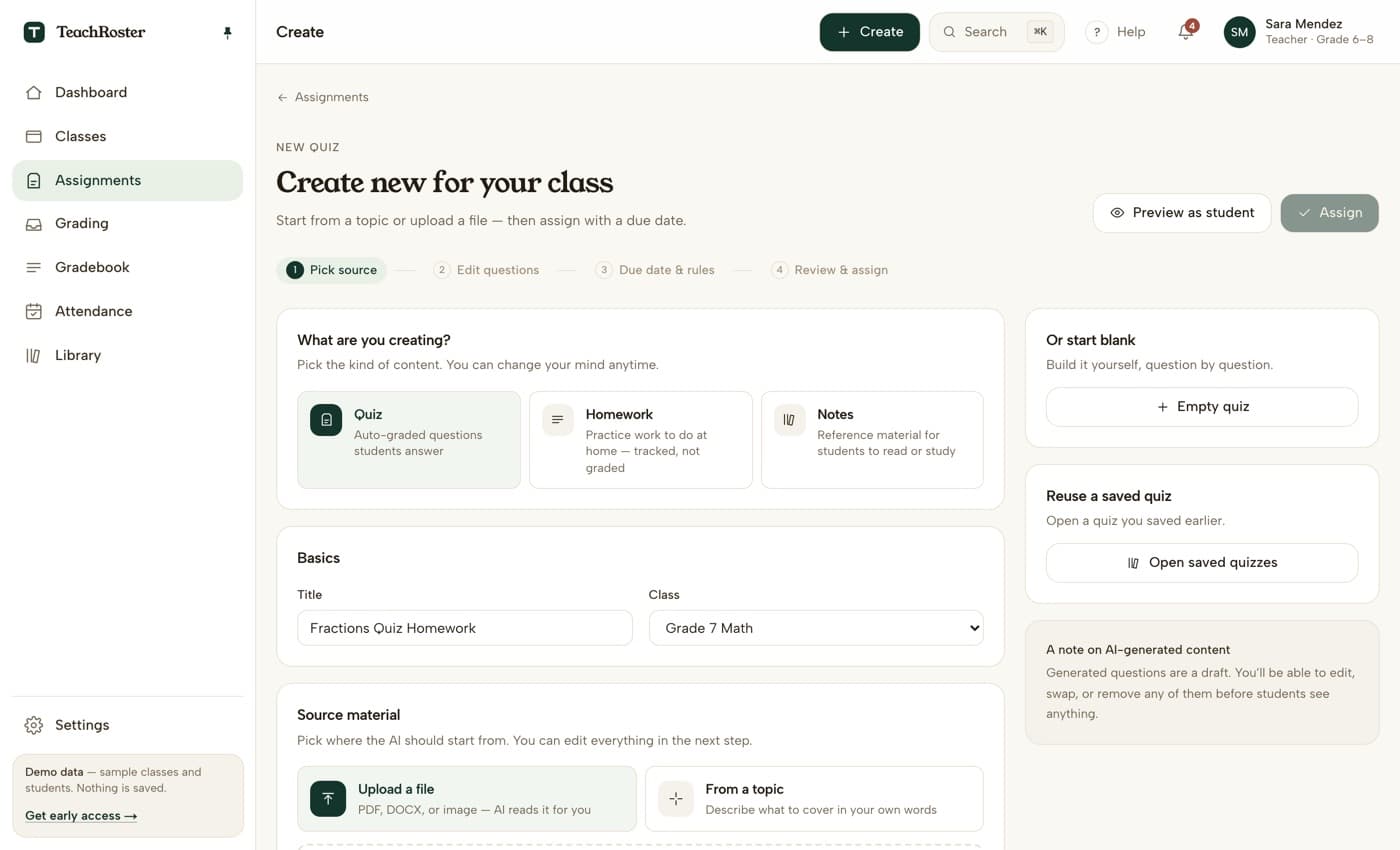
If the worksheet exists as a PDF or a Word file, use that. Upload it and the questions come back drafted, in order, with the answer options already separated out.
If it only exists on paper, photograph it. This works better than people expect, with three caveats: lay the page flat rather than holding it, get the whole page in frame including the instructions at the top, and avoid the shadow of your own head across the middle. A phone photo in classroom light is fine. A photo at an angle in the dark is not.
if the worksheet has a figure or a diagram, expect that question to come back wrong — more on that below
Describe the topic when there is no file
Sometimes there is no worksheet, just the thing you are teaching on Thursday. Describing it in your own words works, and specificity is what makes the difference. Compare:
- “fractions quiz”— you will get eight generic questions pitched at nobody in particular.
- “Grade 7, simplifying fractions and comparing unlike denominators, 8 questions, mostly multiple choice, two word problems using everyday quantities, no decimals yet” — you will get something you can actually use.
The second one took eleven seconds to type. It is the highest-leverage eleven seconds in the whole process.
The four things to check before you assign
This is the part that matters, and it is why a draft is a draft. A generated quiz is confident in a way that has nothing to do with being correct. Four failure modes are common enough to check every time.
1. The answer key, on the questions you would get wrong at speed
Not all of them. Scan for the two or three that involve a conversion, a negative, or a unit, and verify those properly. Straightforward recall questions are rarely keyed wrong. Anything with arithmetic in two steps sometimes is.
2. Distractors that are accidentally correct
The classic: a multiple-choice question about simplifying where two of the four options simplify to the same value. A student picks the “wrong” one, is marked down, and is right. This is the error that costs you the most trust in a classroom, because the student who spots it is usually the strongest one in the room.
3. Questions that assume something the student cannot see
If your worksheet had a diagram, a number line, or a table, the text of that question will often survive the trip while the thing it refers to does not. “Using the diagram above, find x” is unanswerable on a screen with no diagram. Either delete it or rewrite it to carry its own information.
4. Reading level, especially in a second language
Generated questions drift towards a more formal register than most teachers use. If your class works in English as a second or third language, that drift is not neutral, it is a difficulty increase you did not intend. Read two questions out loud. If they sound like a textbook rather than like you, simplify them.
A draft you did not read is a worksheet you did not write.
Set the help rule before you assign, not after
The last decision is what students can ask for while they are working. A sensible default is hints while the quiz is open and full explanations once it has been submitted, which lets a stuck student move without handing over the answer. For a quiz you intend to use as an assessment, turn student-facing help off entirely.
Decide this at assignment time. Changing it once half the class has submitted is unfair to whichever half got the other rule.
Keep the paper version
One thing worth saying plainly: putting a worksheet online is not an upgrade in every situation. If the internet at your school is unreliable during period 3, paper wins. If you need to see working out in the margin, paper wins. What the digital version buys you is the marking and the pattern afterwards, and that is worth having for homework even when it is not worth having in class.
Two minutes to convert. Five minutes to check it properly. Then it marks itself, and you find out on Tuesday morning which question the class actually fell over, instead of finding out on Sunday night with a red pen.